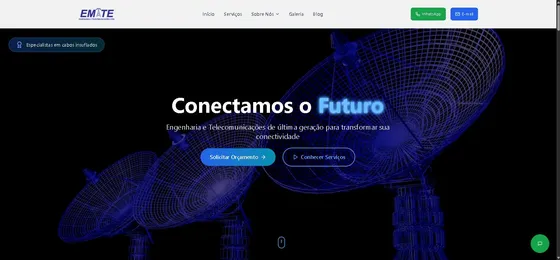
Core Web Vitals for industrial websites: what to fix first
Core Web Vitals measure loading (LCP, Largest Contentful Paint, good at 2.5 s or less), responsiveness (INP, Interaction to Next Paint, good at 200 ms or less) and visual stability (CLS, Cumulative Layout Shift, good at 0.1 or less). On industrial sites the usual problems are oversized photos and videos, sliders, PDF-heavy catalogs, chat widgets and too many tracking scripts.
Guilherme Rodrigues ItinoseUpdated 2 min read
Key takeaways
- LCP ≤ 2.5 s, INP ≤ 200 ms, CLS ≤ 0.1 are the 'good' thresholds.
- Compress and size images; serve modern formats like WebP or AVIF.
- Avoid hero sliders; one strong image or video loads faster.
- Load chat and tracking scripts after consent or after interaction.
- Measure with real-user data (field data), not only lab tests.
Industrial websites tend to be heavy: big photos of machines, sliders, embedded PDFs and a pile of scripts. Visitors on a phone at the plant leave before the page loads.
The three metrics
| Metric | Measures | Good |
|---|---|---|
| LCP | Time until the main content appears | ≤ 2.5 s |
| INP | How quickly the page responds to taps and clicks | ≤ 200 ms |
| CLS | How much the layout jumps while loading | ≤ 0.1 |
Usual culprits on industrial sites
- Photos straight from the camera: several MB each. Resize and use WebP or AVIF.
- Hero sliders: five big images loaded for one visible slide.
- Videos without poster or autoplay of uncompressed files.
- Chat widgets and trackers loading before the content.
- Fonts loaded from several sources without fallback.
- Ads and banners that push content down (CLS).
A practical order of fixes
- Optimize the largest image on each template.
- Remove or replace sliders.
- Defer non-essential scripts until consent or interaction.
- Reserve space for images and embeds to stop layout shifts.
- Check field data again after a few weeks.
Our industrial websites are built static and light, with images optimized at build time.
When to outsource this
- Your site feels slow on mobile
- Search Console reports poor Core Web Vitals URLs
When not to
- Your pages already pass with field data and conversions are fine
FAQ
Do Core Web Vitals affect rankings?
They are part of Google's page experience signals. Content relevance matters more, but a slow site loses visitors and conversions.
Where do I see my scores?
In Google Search Console (field data) and PageSpeed Insights, which shows both field and lab data.
Are videos bad for speed?
Not if they are compressed, have a poster image and are not the first element the browser must load.
What about our PDF catalog?
Turn it into pages. PDFs are heavy, hard to read on phones and weak for SEO.
Sources
- Web Vitals — web.dev (accessed October 13, 2026)
Let's talk about your project
Tell us what you need. We reply within 1 business day with next steps and a fixed-price proposal.