100 shortcuts and best practices to navigate, sketch, assemble and detail, in a reference PDF.
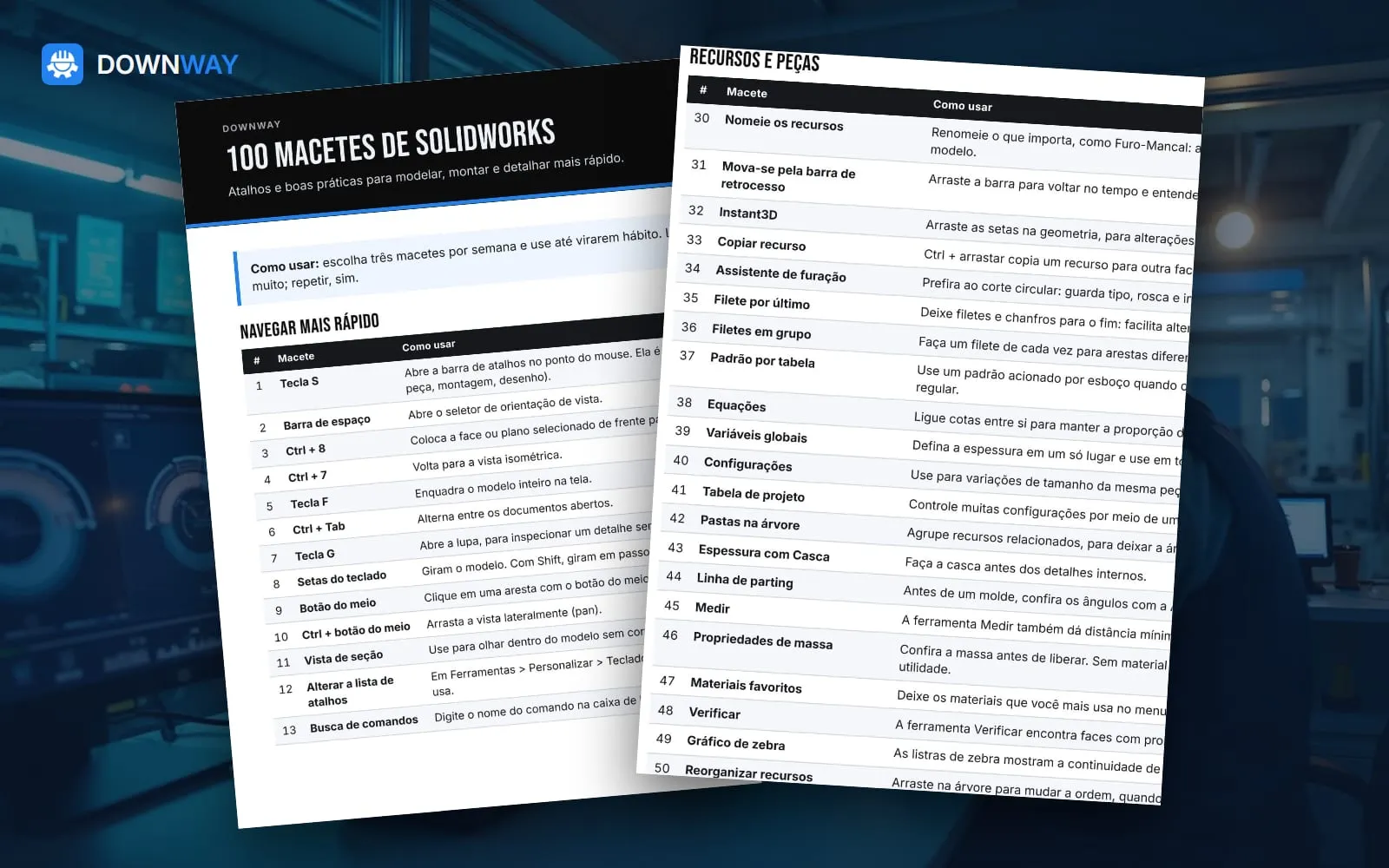
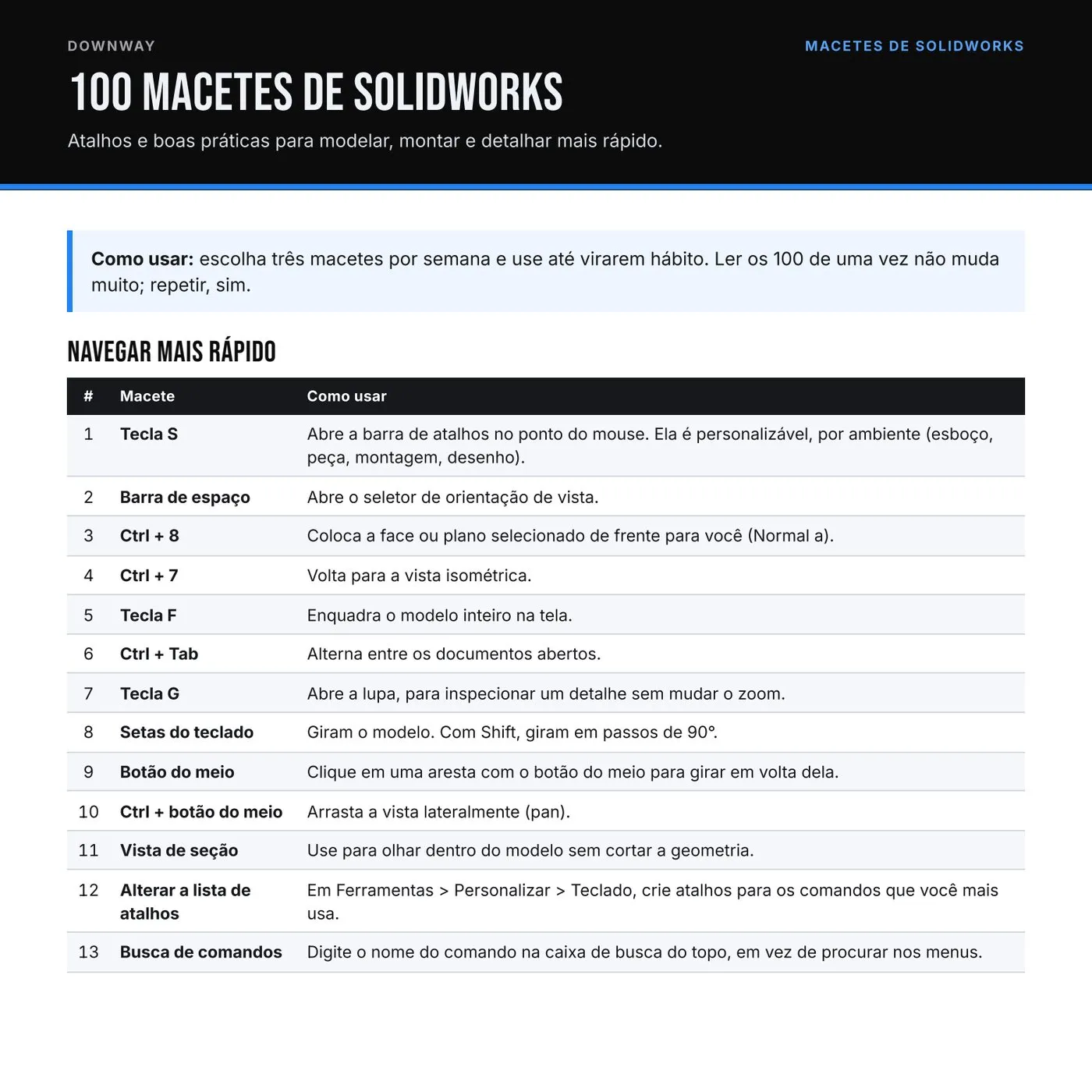
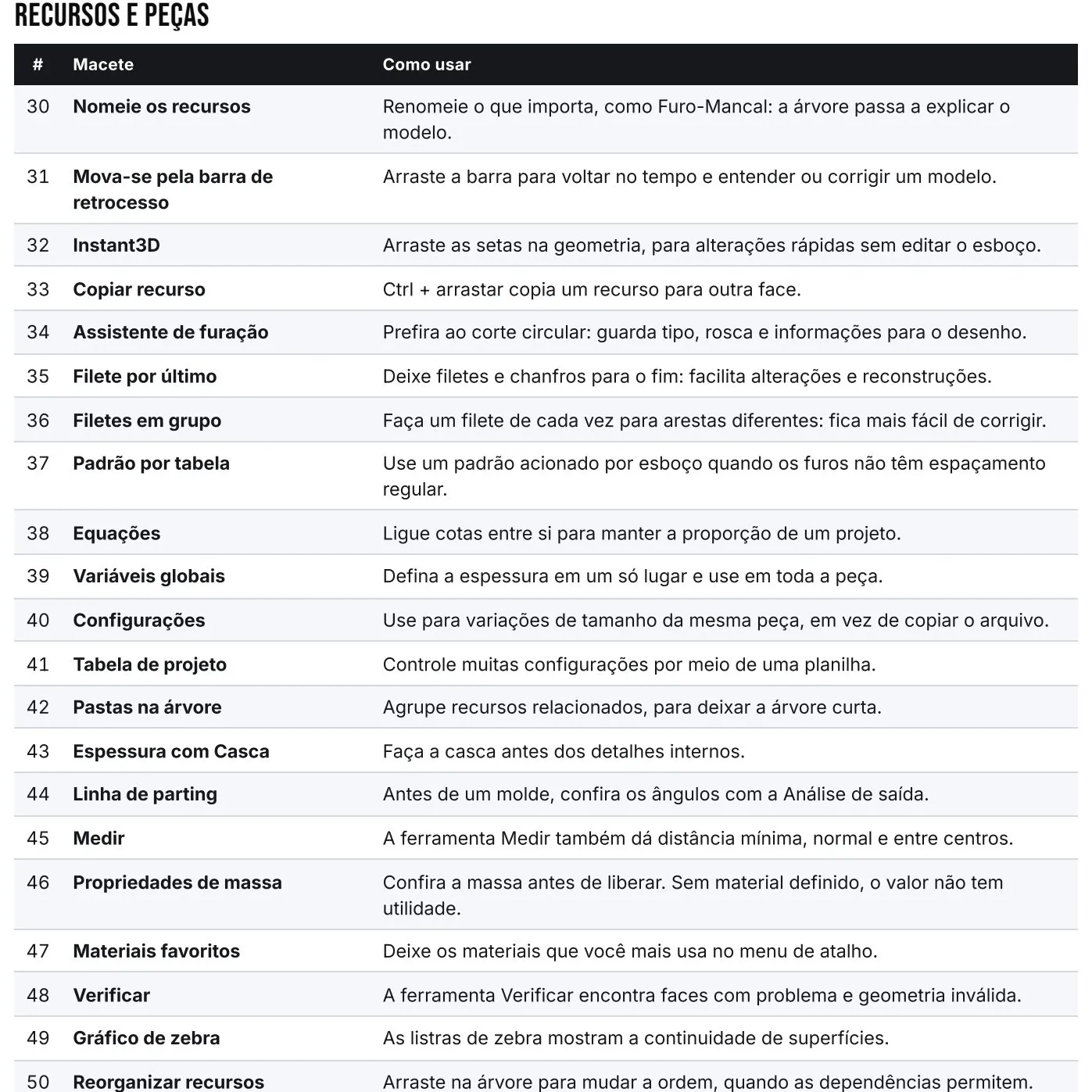
A straight-to-the-point guide with 100 tips organized into navigation, sketching, features, assemblies, drawings and performance. For people who use SOLIDWORKS every day and know they are doing something the slow way.
What you get
100 tips across 6 topics
Shortcuts, commands and best practices
Each one explains how to use it
PDF for reference and printing
Product video (Portuguese narration)
Preview
First page of the guideOne of the tip pages
Who it's for
You use SOLIDWORKS at work
You want to speed up without taking a course
You train new team members
Send us one drawing
We return a review with issues found, suggested fixes and a fixed-price scope. Free, under NDA if you need one.